On this page
A real estate CRM collects every enquiry from your portals, ads, website and WhatsApp in one place, assigns it to an agent, tracks it through follow-up stages until a viewing, a reservation or a sale, and shows which sources produced deals. What makes it a real estate CRM rather than a generic one is that every lead is tied to a property or a unit, not just to a name and a phone number.
This guide is for brokerages and developers in Dubai, the wider UAE and the Gulf who are deciding between a ready-made CRM and one built for them. I’ve built a CRM for a client, but not for a property business, so read this as a list of what to ask for and what drives the price. It isn’t a record of past real estate projects.
What does a real estate CRM need to do?
Five things. If a tool is weak on any of them, agents will go back to WhatsApp chats and spreadsheets within a month.
- One inbox for every enquiry. Whatever the channel, the lead lands in the same list with its source attached.
- Listings and units linked to leads. Each lead records which property or project they asked about, and each unit has a status (available, held, reserved, sold). In Dubai, property adverts must carry a permit number from Dubai Land Department, issued through its Trakheesi system, so a listing record often needs a field for it. Check the current rules with Dubai Land Department before you design the fields.
- Follow-up stages with reminders. Every lead has a stage, a next action and a date.
- Agents and permissions. A new agent sees only their own leads, a team lead sees the team, and the owner sees everything. When an agent leaves, their leads are reassigned in a few clicks and stay with the company.
- Reports that answer money questions. Which source produced viewings, which produced deals, which agent follows up fastest, and where leads get stuck.
Where do real estate leads come from, and how do they get in?
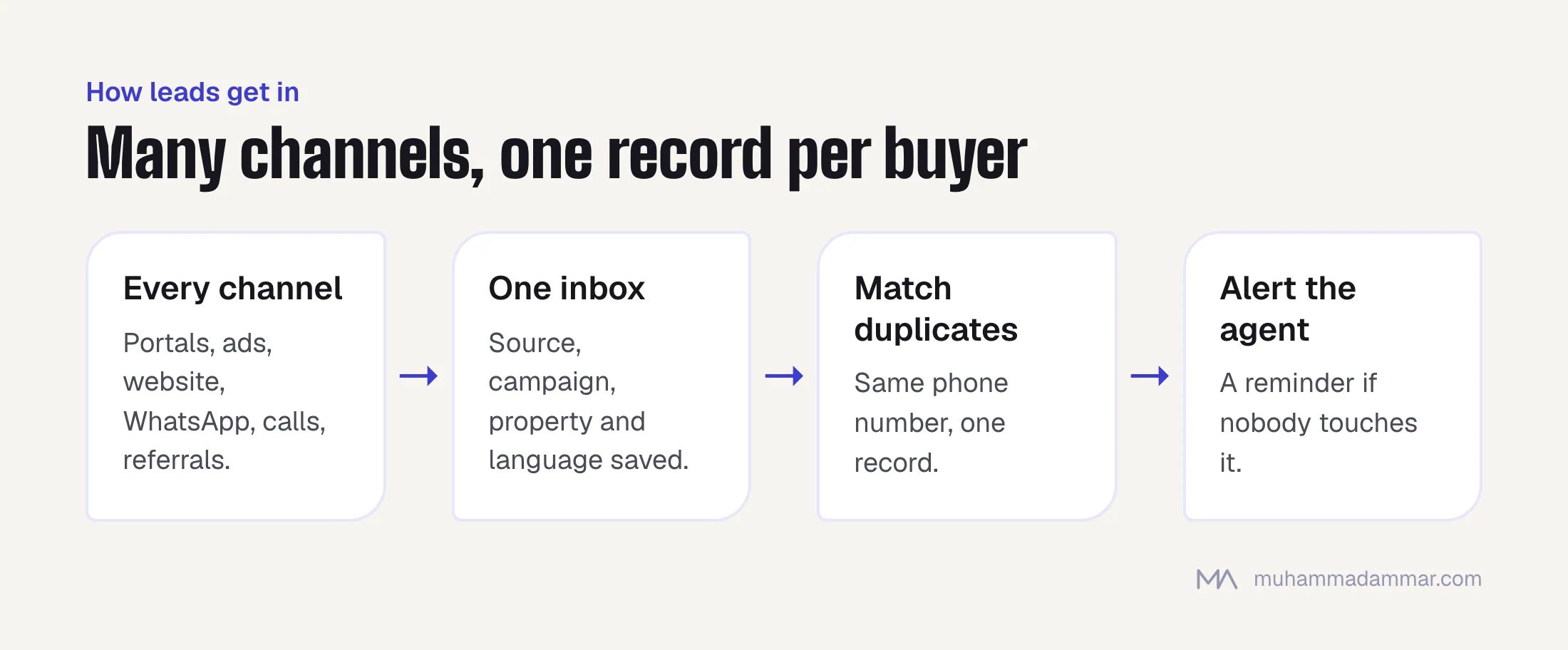
Most brokerages and developers get leads from property portals, paid ads on Google and Meta, their own website forms, WhatsApp, phone calls and referrals. Each arrives in a different shape, and the CRM’s job is to turn them all into the same record.
Whether a portal can send enquiries straight into a CRM depends on that portal and on your plan with it. Ask each portal what it supports before you plan around it. Where there is no direct connection, enquiries usually arrive by email and can be parsed into the CRM, which is less tidy but works.
Four details decide whether the lead data is usable:
- Keep the source. Record the channel and, for ads, the campaign. If a lead’s source is lost when it moves to WhatsApp, your reports will undercount your best channel. I cover that in tracking WhatsApp leads from click to sale.
- Match duplicates. The same buyer often enquires on three portals and then messages you. The CRM should recognise the phone number and merge them, or two agents will call the same person.
- Store the language. Enquirers write in Arabic, English and other languages. Knowing which one they used lets you assign the right agent and send the right message.
- Alert the agent immediately. The first reply matters in this market. A new lead should notify the assigned agent on their phone, with a reminder if nobody has touched it.
What stages should the pipeline have?
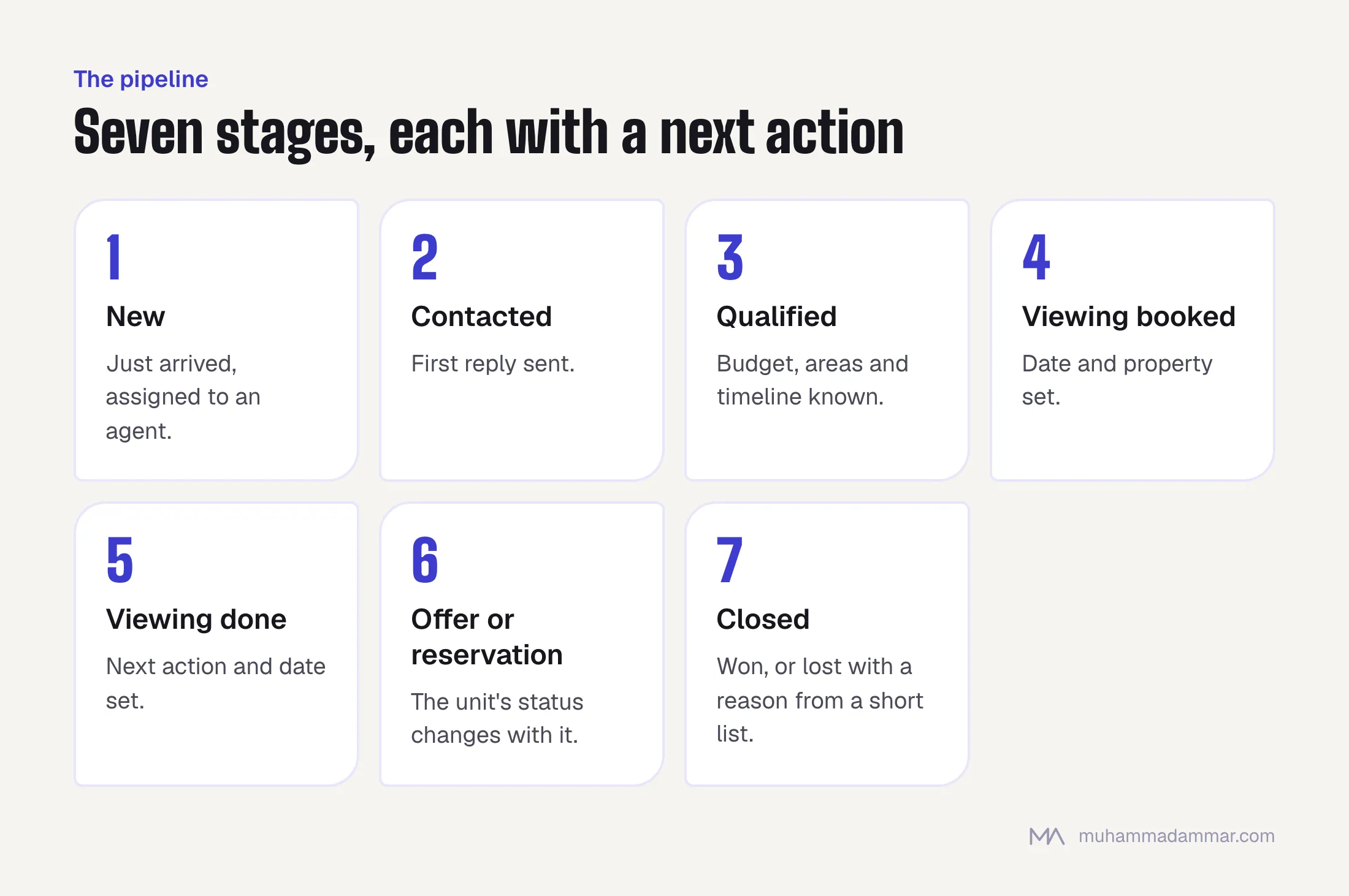
A simple pipeline beats a clever one. For most brokerages: New, Contacted, Qualified, Viewing booked, Viewing done, Offer or reservation, Closed (won or lost). Qualified means you know their budget, the areas they want and their timeline.
Developers selling units usually need to track the unit as well as the lead: a unit moves from available to held to reserved to sold, and the lead’s stage has to match what happened to the unit. Brokerages face the reverse problem. Their inventory comes from owners and developers and changes daily, so it must be easy to update.
Two rules keep a pipeline honest. Every open lead has a next action with a date, and anything overdue appears in a list the team lead checks every morning. And closing a lead as lost requires a reason, chosen from a short list. After a few months those reasons tell you more about your business than any dashboard.
Ready-made or custom: which suits a property business?
Ready-made CRMs exist for real estate, and some handle portal feeds and listings out of the box. Check one against the list above before you build anything. The table shows where each route usually wins.
| Ready-made | Custom-built | |
|---|---|---|
| Time to start | Quick, you sign up and configure | Slower, because it’s designed and built first |
| Fit to your process | You adapt to the tool, within its settings | The tool follows your stages, fields and rules |
| Arabic and English, right to left | Varies by product, so test it with real data | Built in from the start |
| Connections (portals, ads, WhatsApp) | Only those the product supports | Whatever you need, within what each platform allows |
| Cost pattern | A subscription, usually per user, that grows with the team | A build cost, then hosting and support |
| Your data | Lives on the vendor’s platform, check the export options | Lives on your own system |
Choose ready-made if your process is fairly standard and one product covers your must-haves. Choose custom if the way you sell is your advantage, if you need connections no product offers, or if a per-user subscription across a large team becomes the bigger cost. A third route is a ready-made tool with a small custom layer for integrations and reports. If a ready-made product covers your list, buy it. If you want a custom build, that’s my CRM development service.
What changes the price of a real estate CRM?
The same things change the price for a ready-made subscription and for a custom build, though in different ways.
- Number of users and roles. A five-agent team and a company with several branches need different permission setups.
- Number of lead sources and connections. Each portal, ad platform, WhatsApp setup or phone system is a separate piece of work.
- Listings and units. How many, how often they change, and whether they must stay in sync with your website or a portal feed.
- Existing data. Moving leads out of spreadsheets or an old CRM means cleaning and matching them first.
- Custom stages and automation. Round-robin assignment, reminders, escalation when a lead goes untouched.
- Arabic and English. A full right-to-left interface and bilingual templates take real work.
- Reports. A few standard views cost less than dashboards built around your own questions.
- Agent mobile access. Agents live on their phones, so the mobile experience matters more than the desktop one.
- Hosting, security and backups, then training and support after launch.
The price is set when you get in touch, based on what you need.
What should you check before you choose?
- Can we import our current leads, and how are duplicates handled?
- Can we export everything, in a usable format, if we leave?
- Who owns the data, and where is it stored?
- What happens when a portal changes how it sends enquiries? Who fixes the connection?
- Does the Arabic side work with our real data, not only with a demo?
- Can one person run the system after launch without calling a developer for every change?
Ask these of a ready-made vendor and of a developer alike. If you plan to answer WhatsApp enquiries automatically as well, WhatsApp customer service automation covers what can and can’t be handed to a bot.
Frequently asked
Is a spreadsheet enough for a small brokerage?
For a single agent with a few active leads, yes. It stops working when several people share leads, when you need reminders, or when you want to know which source produces deals. That is the point to move to a CRM.
Can the CRM connect to WhatsApp?
Yes, if the chats run through the WhatsApp Business Platform, the API version of WhatsApp for business, rather than only a phone. That lets conversations and their source be logged against the lead. Agents who answer from a personal phone won’t appear in the CRM at all.
Do I need a separate system for listings?
Not necessarily. Many CRMs hold listings and units themselves. If you already have a listings system or a website feed, the CRM can connect to it instead, but then you have two places to keep accurate.
Should a developer and a broker use the same CRM setup?
The core is the same: leads, stages, agents, reports. The difference is inventory. A developer tracks units and their statuses inside projects, while a broker tracks listings that change daily. Say which one you are when you compare tools.
Can I switch later?
Yes, if you can export your leads, listings and history. That is why the export question comes before the price question.
If you’re choosing a CRM for a property business and want a second opinion on the requirements, message me with your lead sources and team size.

SEO and digital marketing consultant since 2015, working with businesses in Egypt, Saudi Arabia and the UAE.
About the author and editorial standards