On this page
Across most of this region, the most serious thing a visitor does on your website is leave it. They tap a WhatsApp button, the conversation moves to their phone, and your analytics records a click and nothing more.
The deal then closes, the money arrives, and no channel gets the credit. Every budget decision after that is based on data that undercounts whichever channel brings in WhatsApp conversations, and that’s usually your best one.
For most businesses in the Gulf and Egypt this is the most valuable tracking fix available. It isn’t hard. It’s just nobody’s job.
Where the trail breaks
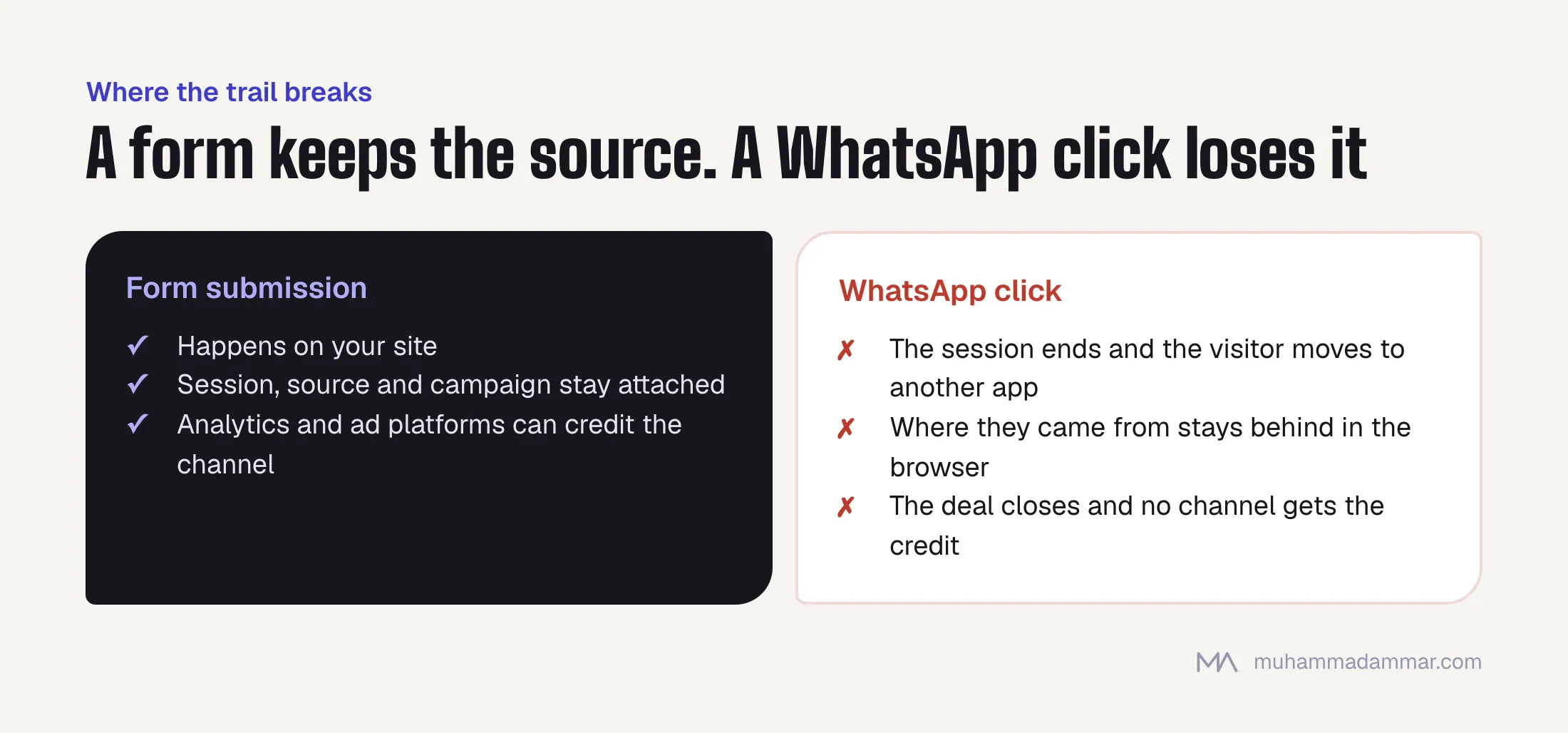
When someone submits a form, it happens on your site, so the session, the source and the campaign are all still attached. A WhatsApp click ends the session. The visitor moves to another app, and everything you knew about where they came from stays behind in a browser you no longer control.
In practice this means:
- Organic search looks weak. It often brings in the most WhatsApp conversations and gets credit for almost none of the revenue.
- Channels that produce form fills look strong next to channels that produce conversations, whichever one actually brings customers.
- Sales and marketing never agree. Sales can see the leads coming in, and marketing can’t show where they came from.
- Ad platforms optimise for the wrong thing, because the only conversion you gave them is the one that happens on your site.
Links that carry the source across
The fix uses a feature of WhatsApp’s own link format: you can pre-fill the first message. That pre-filled text is the only piece of information that makes it from your website into the conversation intact.
A standard link looks like this:
https://wa.me/966XXXXXXXXX?text=%D9%85%D8%B1%D8%AD%D8%A8%D8%A7%D9%8BAdd a short reference code to the end of that message and you have a key to match on later. Generate it in the browser when the button loads, encode it, and log it as an analytics event at the same moment:
// build a short code and attach it to every WhatsApp link on the page
const ref = 'W' + Date.now().toString(36).slice(-5).toUpperCase();
const msg = `مرحباً، أود الاستفسار (${ref})`;
document.querySelectorAll('a[href*="wa.me"]').forEach(a => {
  const phone = a.href.match(/wa\.me\/(\d+)/)[1];
  a.href = `https://wa.me/${phone}?text=${encodeURIComponent(msg)}`;
  a.addEventListener('click', () => {
    gtag('event', 'whatsapp_click', {
      ref_code: ref,
      page_path: location.pathname,
      // capture where the visitor came from while you still can
      utm_source: new URLSearchParams(location.search).get('utm_source') || '',
      gclid: new URLSearchParams(location.search).get('gclid') || ''
    });
  });
});
Four practical points. Keep the code short and unobtrusive, because customers see it and a long string in their first message looks broken. Put it at the end, after normal text. Capture the click ID from whichever ad platform sent the visitor, since that’s what makes uploading results back possible later. And test it on iPhone and Android, in both the WhatsApp app and WhatsApp Web, because pre-filled messages don’t behave the same everywhere.
Click-to-WhatsApp ads: what the platforms give you
Ads that open WhatsApp directly are a different case, and they’re better tracked than most people realise.
When someone arrives from a click-to-WhatsApp ad, their first message carries referral data that identifies the ad, so the attribution exists whether you use it or not. The catch is that you can only see it through the WhatsApp Business API, not in the regular WhatsApp Business app. If your team answers messages on a phone, that data never reaches you.
That one fact decides how you set things up: if a real share of your leads comes through WhatsApp, you need the API and an inbox tool that reads the referral data, not a phone. It’s the least exciting advice in this article and the one that changes the most.
I compare the different lead destinations in three ways to collect a lead on Meta.
Getting the source into your CRM
A reference code with nowhere to go is useless. The chain has to close.
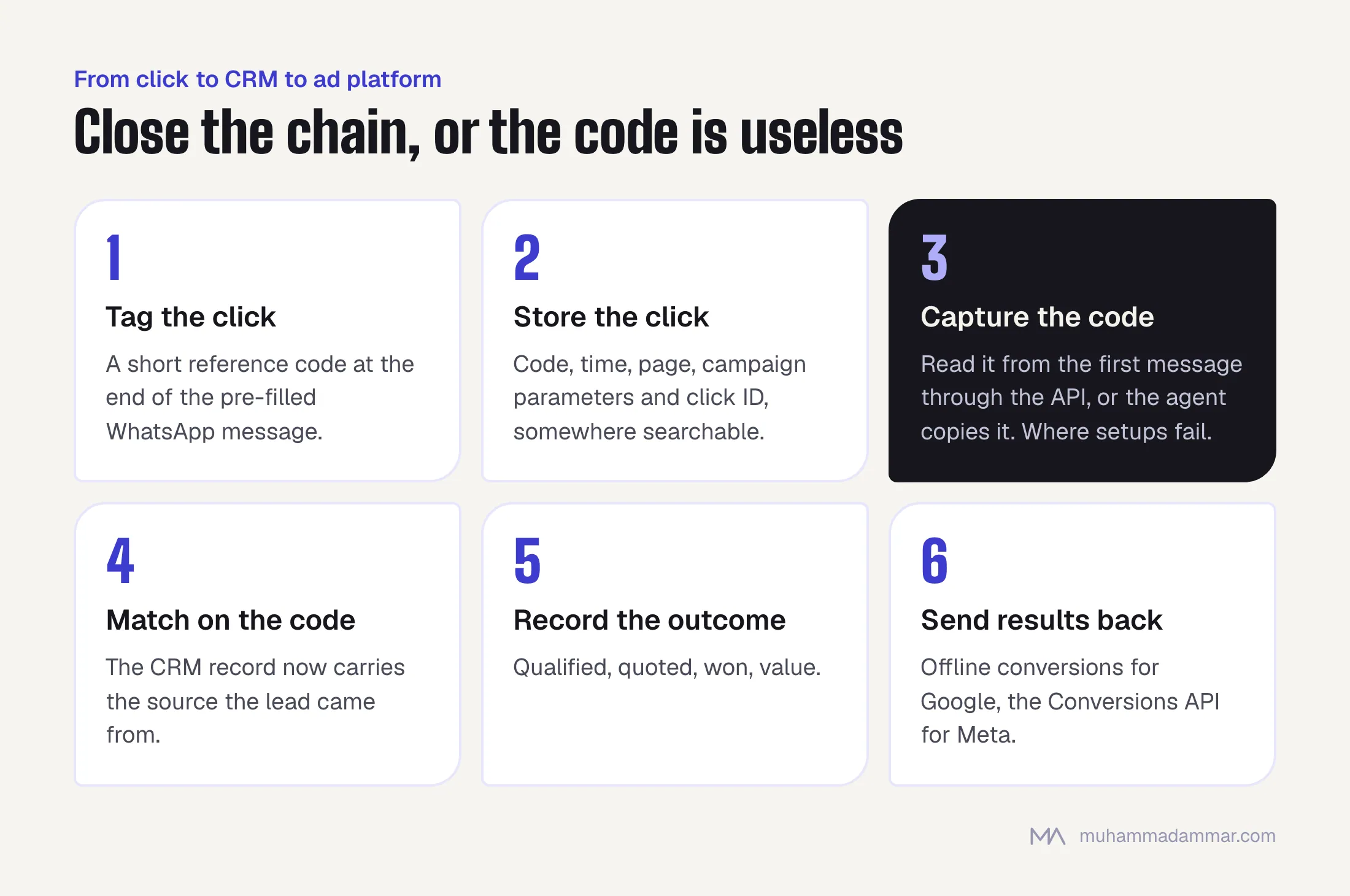
- Store the click with all its context: the reference code, time, page, campaign parameters and click ID. That can be your analytics property, a small endpoint, or a spreadsheet for a small business. It needs to be searchable, not pretty.
- Capture the code when the conversation starts. With the API, read it from the first message automatically. With people answering, the agent copies it into the CRM record. That works only if the process is simple enough to survive a busy day.
- Match on the code. The CRM record now carries the source the lead came from.
- Record the outcome against it: qualified, quoted, won, value. This is the step that turns attribution into something you can base a budget decision on.
Step two is always where it fails. If it depends on a salesperson doing extra work in the middle of a conversation with a live prospect, it’ll fall apart within two weeks. Automate it, or accept a match rate below 100% and measure that rate honestly.
Sending the results back to the ad platforms
This is where the work pays for itself, and most setups stop just before it.
Once the CRM knows which qualified leads came from which click, you can upload those outcomes as conversions: offline conversion import for Google, the Conversions API for Meta. The platforms then optimise for qualified leads instead of WhatsApp clicks.
The difference is big. Optimising for clicks buys you more clicks, and the platforms are very good at finding the cheapest version of whatever you ask for. Ask for conversations and you get people who start conversations. Ask for qualified leads and the targeting changes.
There are two requirements: you need the click ID captured when the visitor lands, and you need enough volume for the platform to learn from. Below a certain number of qualified leads a month, the upload helps your reporting but does nothing for optimisation, which is worth knowing before you promise it to anyone.
What you still won’t know
Some things this won’t catch. The customer who saves your number and messages three weeks later from their contacts. The one whose friend forwarded your number. The one who deletes the pre-filled text before sending, and some people do. Journeys with many touches also stay approximate, because a code identifies the last click before the conversation, not the six touches before it.
So measure the gap instead of ignoring it. Count all incoming conversations in your WhatsApp tool, count the ones with a reference code, and the ratio is your match rate. Whatever it turns out to be, it’s far better than the zero you had before. Report it as a match rate every time, so nobody in the business starts treating the matched number as the total.
Frequently asked
Do customers notice the reference code?
Some do, and almost nobody minds. Keep it short, put it at the end in brackets, and make the rest of the message read naturally. A five-character code looks like a reference number, which is what it is.
Can I do this without the WhatsApp Business API?
For website clicks, yes: the pre-filled code works with any WhatsApp account. For click-to-WhatsApp ads, no, because only the API shows the referral data. Most businesses start with the first and add the second when the volume justifies it.
Is this compliant with privacy rules?
You’re recording that a click happened and matching it to a conversation the customer started. Handle it under the same privacy policy and consent setup as the rest of your analytics, and never put personal data in the code.
What about WhatsApp Web and desktop?
The link format works on both. Test it anyway, because pre-filled messages behave a little differently in the app, the web version, and on iPhone and Android, and a code that silently fails on one of them will skew your data.
How long does it take to set up?
The links and analytics take about a day. Matching in the CRM depends on your tools. Uploading results to the ad platforms takes another day or two. The slow part is always changing how the sales team works, not the code.
The rest of the GA4 setup this depends on is in a GA4 event setup you will actually use. Related: analytics and tracking and paid media. If your leads disappear into WhatsApp, tell me how your team handles them and I’ll suggest a setup.

SEO and digital marketing consultant since 2015, working with businesses in Egypt, Saudi Arabia and the UAE.
About the author and editorial standards