On this page
Most GA4 setups I take over track between thirty and sixty events: clicks on every button, scroll depth at four points, video progress, outbound clicks, file downloads. The property is busy and the reports answer nothing, because nobody decided on a question before setting up an event.
Eight events are enough for a lead-generation business. Here they are, what each one tells you, and why the rest is noise.
Why the default setup doesn’t help
Out of the box, GA4 gives you enhanced measurement: page views, scrolls, outbound clicks, site search and file downloads. It’s all automatic and technically correct, and none of it is about your business.
That leads to three problems, and the third is the one that matters most in this region.
Engagement isn’t intent. Scrolling 90% of a blog post and 90% of your pricing page are the same event with the same name. One is a reader, the other a buyer.
A lead isn’t a customer. Counting form submissions tells you volume and nothing about quality, so every channel comparison you make uses the wrong number.
Your best leads are invisible. In the Gulf and Egypt, the most serious thing a visitor often does is leave your site for WhatsApp. GA4 records an outbound click, if anything, and the conversation that closes the deal is credited to nothing. That gap is the subject of tracking WhatsApp leads, and it’s the biggest hole in most businesses’ measurement here.
The eight events
Each one is there because it answers a question you’ll act on. If you can’t name the decision an event helps with, don’t track it.
| Event | Fires when | Tells you |
|---|---|---|
generate_lead | A form is submitted successfully | How many leads, and from where |
whatsapp_click | A WhatsApp link or button is clicked | Leads that leave the site |
call_click | A tel: link is tapped | Buyers who prefer to call |
form_start | Someone first touches a form field | Where the form loses people |
pricing_view | The pricing or packages page is viewed | How serious the interest is |
cta_click | A main call to action is clicked | Which placement works |
key_content_view | A chosen money page is read | Whether the content does its job |
qualified_lead | Sent back from the CRM | Which sources bring real leads |
Notes on four of them, because the details are where these go wrong.
generate_lead is one of GA4’s recommended event names. Use it instead of inventing form_submit or lead_form. Recommended names get better treatment in the interface and in integrations, and being creative here gains you nothing. Fire it when the submission succeeds, not when the button is clicked.
form_start earns its place only because of the gap between it and generate_lead. That ratio is your form abandonment rate, and it tells you whether the page doesn’t convert or the form is broken, two problems with completely different fixes. On Arabic pages, the usual culprit is the phone field.
whatsapp_click should carry the reference code you put in the pre-filled message, so the click can be matched to the conversation later. Without that parameter, the event only tells you a click happened.
qualified_lead is the one that changes how you spend money, and almost nobody sets it up. Everything above measures the start of the journey. This is the only event that connects a traffic source to a result the business recognises.
Names that survive a change of team
You can’t rename GA4 events after the fact. Whatever you choose, you live with, and a year of data under messy names is a year of data nobody trusts.
- Lowercase with underscores, always. GA4 is case-sensitive, so
Generate_Leadandgenerate_leadare two different events, and you won’t notice for months. - Thing first, then action:
whatsapp_click, notclick_whatsapp. Which order you pick matters less than sticking to it. - Use the recommended names where one exists. Check Google’s list before inventing your own.
- Never put a variable in the event name. Not
cta_click_headerandcta_click_footer, but onecta_clickevent with acta_locationparameter. As soon as values go into names, your reports split apart and the event limit starts to bite. - Write it down. A one-page document listing every event, its parameters and what it answers. It takes twenty minutes, and it’s the only thing that saves you from a rebuild when the person who set it up leaves.
Parameters worth collecting
Parameters are where the analysis happens, and restraint pays off here too. Five carry nearly all the value:
cta_location: header, hero, sidebar, footer or in the text. It tells you which placement gets clicks without creating five events.form_id: which form, if you have more than one.ref_code: the WhatsApp reference code, which links the click to the conversation.lead_type: the offer or service the lead came in on, if you have several.page_language: Arabic or English. On a two-language site this is the parameter that shows which language actually brings leads, and most setups don’t have it.
Register the ones you’ll report on as custom dimensions. Unregistered parameters are collected but don’t show up in standard reports, which is behind a lot of “I’m sure we tracked that” conversations.
And never put personal data in a parameter: no names, phone numbers or email addresses. Use an internal reference and connect it in the CRM, where that data belongs.
Closing the loop from the CRM
This step turns the setup from a traffic report into something you can base a budget decision on.
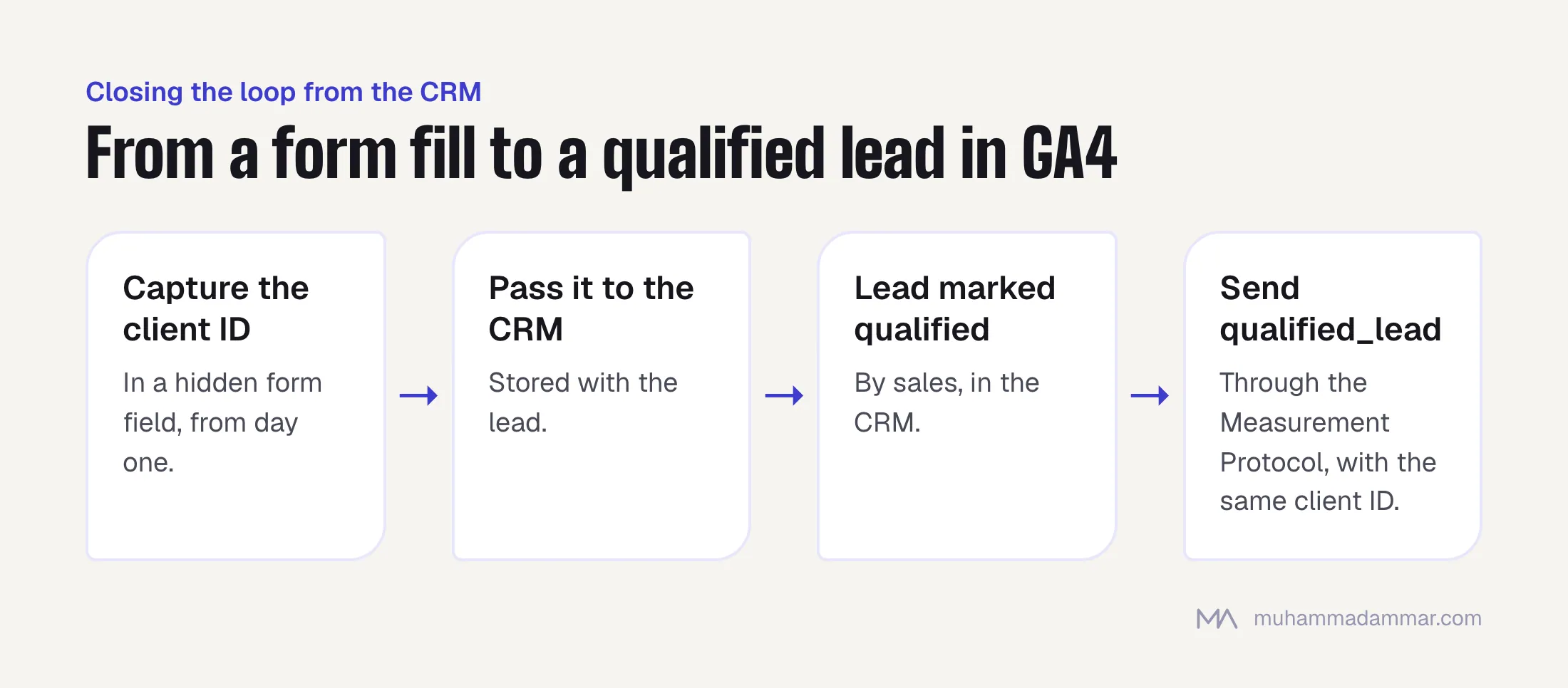
How it works: when a lead is marked qualified in your CRM, send a qualified_lead event back to GA4 through the Measurement Protocol, linked to the same client ID the original visit had.
That means you have to capture the ID when the lead comes in. Store the GA4 client ID in a hidden form field and pass it to the CRM with the lead. Do it from the start. Adding it later means every lead already in the CRM has no match.
Two caveats. Matching isn’t perfect, especially across devices and long sales cycles, so report a match rate next to the numbers. And it only pays off with enough volume to see a pattern. Below a few dozen qualified leads a month, it helps your reporting but tells you little about channel performance.
The same qualified-lead data should also go back to the ad platforms as an offline conversion, so they optimise for customers instead of form fills. I cover that in three ways to collect a lead on Meta.
Three reports that replace twenty
Build these once as explorations, share them and delete everything else.
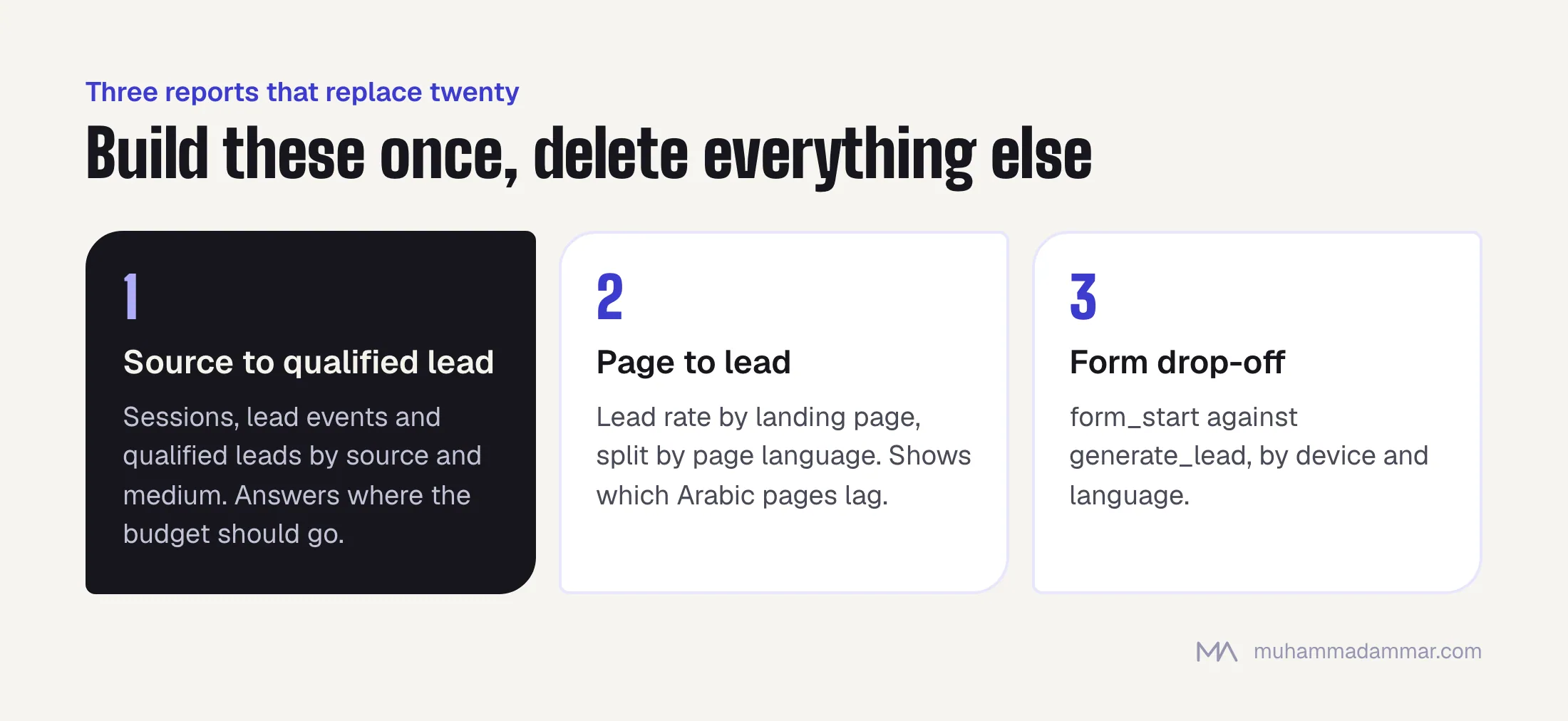
1. Source to qualified lead. Rows: session source and medium. Columns: sessions, generate_lead plus whatsapp_click plus call_click, qualified_lead, and the ratio between the last two. This one table answers “where should the budget go”, and it’s the only report most people need.
2. Page to lead. Rows: landing page. Columns: sessions, lead events and conversion rate, split by page_language. It shows which content earns its place and which Arabic pages lag behind their English versions.
3. Form drop-off. form_start against generate_lead, split by device and language. A funnel exploration is enough. When Arabic mobile completes at half the rate of English desktop, you’ve found a fixable problem, not a market insight.
If nobody opens a report, it isn’t a report. Delete it. Clutter is why nobody trusts the property.
Frequently asked
Are eight events really enough?
For a lead-generation business, yes. E-commerce also needs the standard commerce events, which are a different set for a different purpose. Add a ninth when you can name the decision it helps with.
Should I mark all of these as key events?
No. Marking everything as a conversion makes the conversion number meaningless. Mark generate_lead, whatsapp_click, call_click and qualified_lead. The rest are for diagnosis.
Tag Manager or gtag?
Tag Manager for anything beyond a single page view. You’ll be changing these definitions, and being able to do that without a deploy is the point.
Do I need server-side tagging?
Not for this. It helps with data quality and control, and adds cost and complexity. Get the eight events and the CRM loop working in the browser first. That’s where the value is. When it is worth it is covered in server-side tagging, costed honestly.
How do I handle consent?
Set up consent mode properly and test that events fire as expected in each consent state. A change to the consent banner is one of the most common causes of an overnight “traffic drop” that’s really a tracking drop. The steps for diagnosing it are in a decision tree for traffic drops.
Related: analytics and tracking and CRO and landing pages. If your GA4 is busy but tells you nothing, message me.

SEO and digital marketing consultant since 2015, working with businesses in Egypt, Saudi Arabia and the UAE.
About the author and editorial standards