On this page
Someone asks an assistant for a recommendation, it names your company, the person clicks through, and GA4 files the visit under “Referral” next to a forum link, or under “Direct” because the referrer was stripped. Then the monthly report says AI sends you nothing, and the business decides it doesn’t matter.
The visits are there. GA4 reports them in the wrong place by default, and fixing it takes about twenty minutes.
Where AI referrals land by default
GA4’s default channels have no idea what an AI assistant is, so traffic from assistants is spread across three buckets:
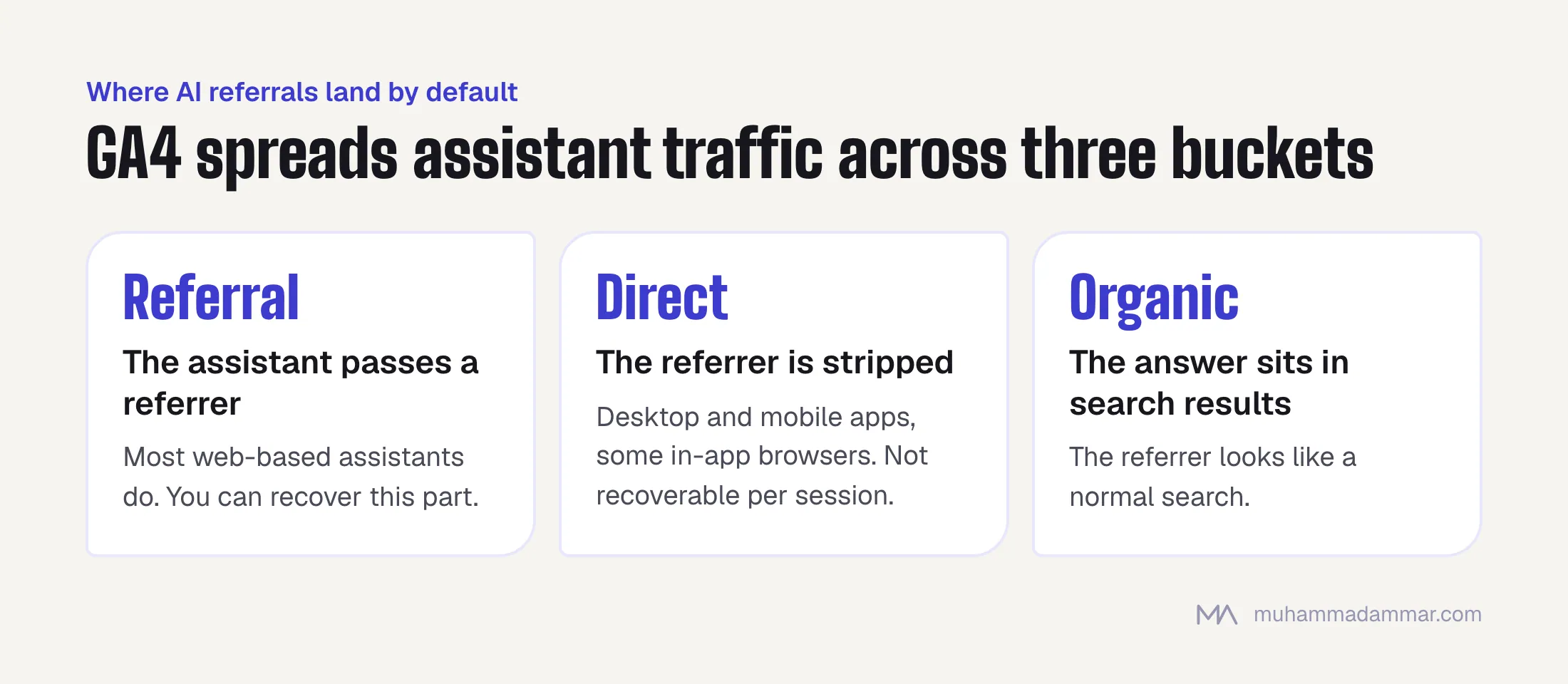
- Referral: when the assistant passes a referrer, which most web-based ones do. You can recover this part.
- Direct: when the referrer is stripped, as happens with desktop and mobile apps and some in-app browsers. You can’t recover this part at the session level.
- Organic Search: when the AI answer is part of a search engine’s own results and the referrer looks like a normal search.
Keep that split in mind when you read the numbers later: you’re recovering the visible part of a bigger number, not measuring all of it.
Building a custom channel group
In GA4 go to Admin, then Data display, then Channel groups, and create a new channel group. Copy the default grouping, then add a new channel above “Referral” so it takes priority.
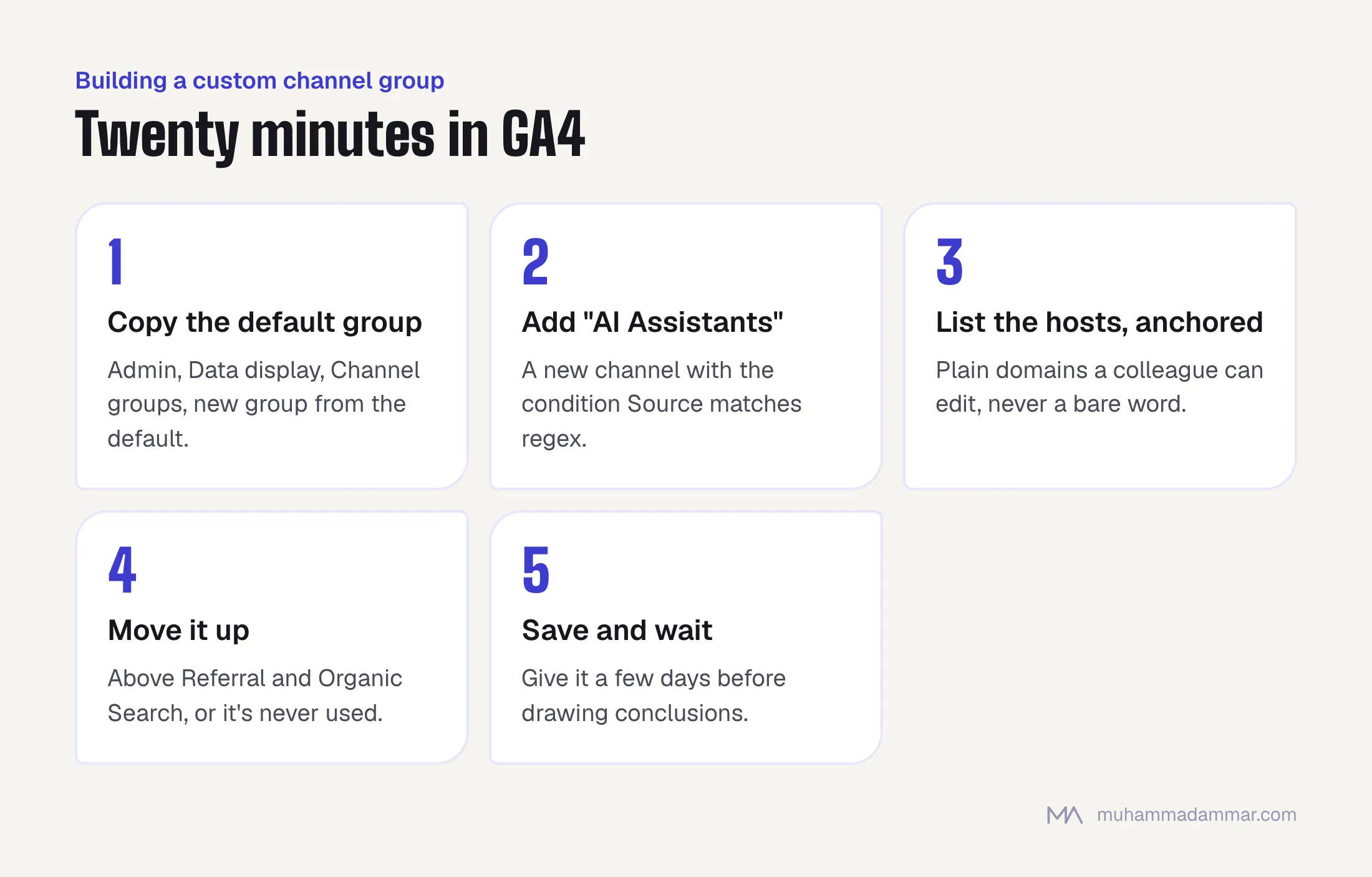
- Call the channel AI Assistants.
- Set the condition to Source matches regex.
- Use a regex listing the assistant domains you want to capture, anchored so it doesn’t catch unrelated sites. For example:
^(chatgpt\.com|chat\.openai\.com|perplexity\.ai|gemini\.google\.com|copilot\.microsoft\.com|claude\.ai)$ - Move the channel above Referral and Organic Search, or it will never be used.
- Save. Channel groups apply to past data in most reports, but not everywhere, so give it a few days before drawing conclusions.
Keep the regex easy to maintain rather than clever. A plain list of domains a colleague can edit beats a compact expression nobody dares touch. Write one product per entry, note each one in your documentation, and review it every quarter, because this list changes faster than your other channel definitions.
Two mistakes to avoid. Don’t match a bare word that can appear inside unrelated domains; match the actual host. And don’t build the same logic in three places (a channel group, a segment and a Looker Studio filter), because they’ll drift apart. Define it once and refer to it.
Finding the referrers in your own data
Instead of guessing, look in your own data. Go to Reports, Acquisition, Traffic acquisition, switch the dimension to Session source and sort by sessions. Scan the long tail for hosts you don’t recognise. The assistant domains will be there with small numbers.
- Check both the main domain and any separate domain an assistant uses for redirecting links.
- Check your server logs too. They show visits from AI crawlers, which is a separate and useful signal. Log file analysis explains how to pull it.
- An AI crawler fetching your page and a person clicking from an AI answer are two different things. The first tells you you’re being read. The second tells you you’re being recommended.
For Arabic searches the picture is different again, because the assistants people in this region use in Arabic aren’t necessarily the ones that lead globally. Build your list from your own referrer data, not from an English article’s list, including this one.
Why the numbers look small, and why that’s misleading
You’ll set this up and find a number that looks tiny next to organic search. Three reasons not to dismiss it:
- The part with no referrer is invisible. App traffic lands in Direct, so what you measure is a fraction of what happens.
- The intent is unusually high. Someone arriving from an assistant has usually already been given a shortlist and is checking you specifically. Compare conversion rates, not session counts, and the picture usually changes.
- Most of the value never becomes a click. If the assistant answers the question and names you, the brand impression happens without a visit. The effect shows up later as a direct visit or a search for your brand name.
So treat the channel as a sign of direction, not a revenue line. It answers “are we being mentioned, and is that growing?”, not “how much did AI earn us?”.
Assisted conversions and the zero-click problem
Because the AI touch often comes before a direct or branded visit, last-click reports will almost always credit something else. Two practical responses:
- Watch branded searches and direct visits together. If mentions grow and both of those rise with no other campaign running, that’s the most honest evidence you’ll get.
- Ask on the form. One “how did you hear about us?” field with a clear option for AI assistants gives you data no analytics tool can. On a low-volume, high-value B2B site, that’s better evidence than any channel group.
It’s the same structural problem as attribution in this region generally, covered in why attribution breaks in the Gulf and Egypt.
A monthly reporting view
Keep it to one small table, reported monthly, with four rows: sessions from the AI Assistants channel, that channel’s conversion rate against the site average, brand-name impressions from Search Console, and the number of people who said “AI assistant” on your form. Add a fifth row for AI crawler visits from your logs if you have them.
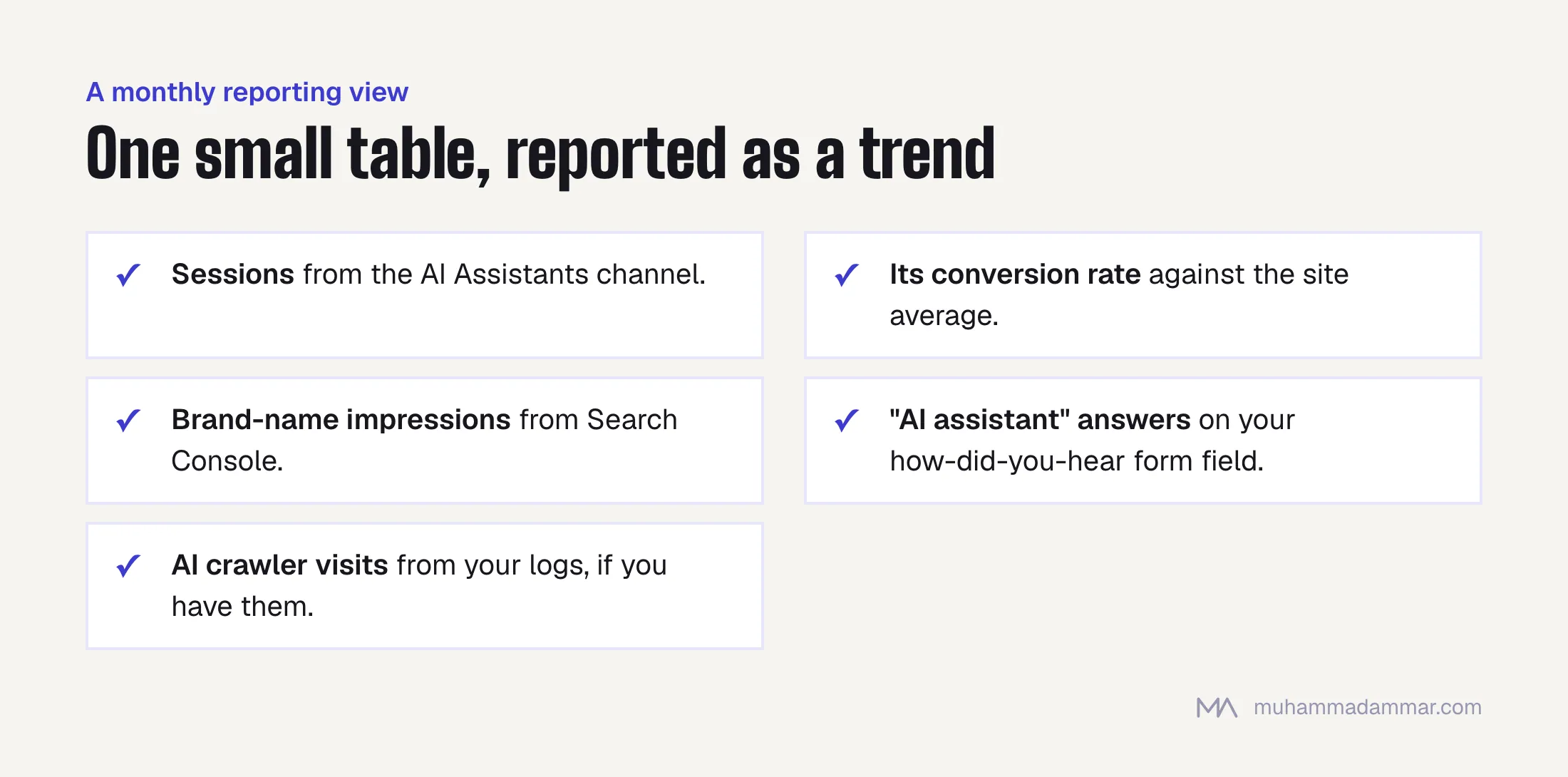
Report the trend, not the absolute number, and say clearly in the report that the figure undercounts. Someone who discovers the undercount on their own will distrust the whole report. Someone told upfront will read it correctly.
Setting up the measurement is part of analytics and tracking. Making your brand the one that gets named in the first place is GEO and AI search, and how those recommendations form is in what makes an AI assistant name your brand.
Frequently asked
Can I recover the AI traffic sitting in Direct?
Not at the session level. You can only see it indirectly, through its link with branded searches and through what people tell you on the form.
Should this be a channel group or a segment?
A channel group, so it shows up in the standard acquisition reports without anyone applying anything. A segment is fine for one-off analysis on top.
Does blocking AI crawlers protect my content?
It lowers the chance of your content being used, and equally the chance of being recommended. That’s a business decision about visibility versus control, and it should be made on purpose, not by a robots.txt line nobody reviewed.
How often should I update the regex?
Every quarter, and whenever you notice an unfamiliar host climbing your referrer list.
Is there a benchmark for how much traffic should come from AI?
No credible one, and anyone quoting one percentage across industries is guessing. Measure your own starting point and watch which way it moves.
Want GA4 set up so this shows without anyone building a report every month? Message me.

SEO and digital marketing consultant since 2015, working with businesses in Egypt, Saudi Arabia and the UAE.
About the author and editorial standards