On this page
The JavaScript rendering question comes up in every technical audit of a modern site, and it’s almost always argued instead of tested. The developer says Google renders JavaScript fine. The marketer read that it doesn’t. Both are quoting articles.
You can settle it for your own site with evidence in about fifteen minutes. Here are the three tests, and what to do if the answer is bad.
How Google renders a page, step by step
There are four stages, and the gap between them is where the problem comes from.
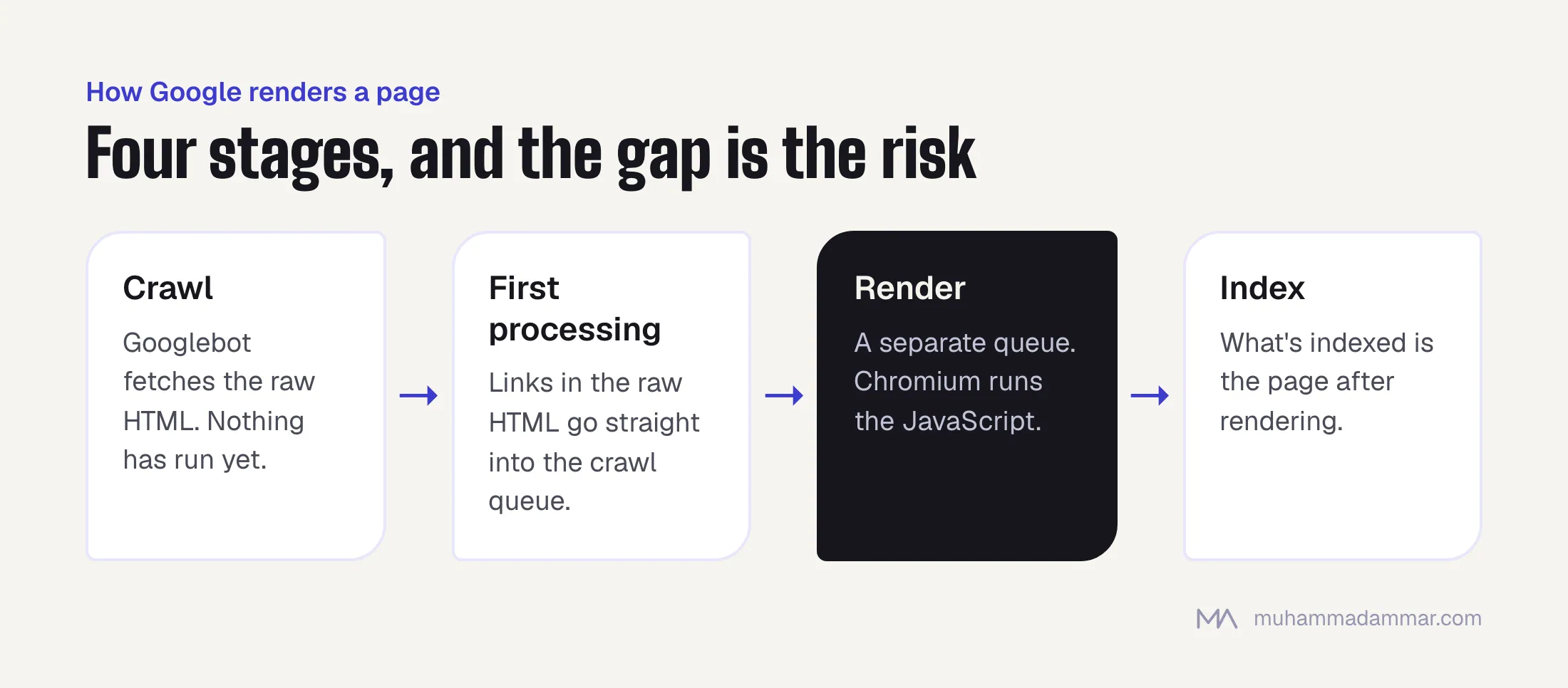
- Crawl. Googlebot fetches the raw HTML your server sends. Nothing has run yet.
- First processing. Links in that raw HTML go straight into the crawl queue. That’s why links that only appear after JavaScript runs are found later, if at all.
- Render. The page waits in a rendering queue, and an up-to-date Chromium runs the JavaScript. This used to take days. It’s usually much faster now, but it’s still a separate step with its own queue.
- Index. What gets indexed is the page after rendering.
So Google does render JavaScript, and the developer is right. But rendering is delayed, rationed and fragile in specific ways, so the marketer’s worry isn’t baseless either. What matters is which of those ways applies to your site.
Remember four things about the rendering bot, because most failures trace back to one of them. It doesn’t click, tap or hover. It doesn’t scroll the way a person does. It doesn’t accept cookie banners or log in. And every visit starts fresh, with nothing carried over from the last one.
Test 1: the rendered HTML in URL Inspection
This is the most reliable test you have, because it’s Google’s own renderer and not an imitation.
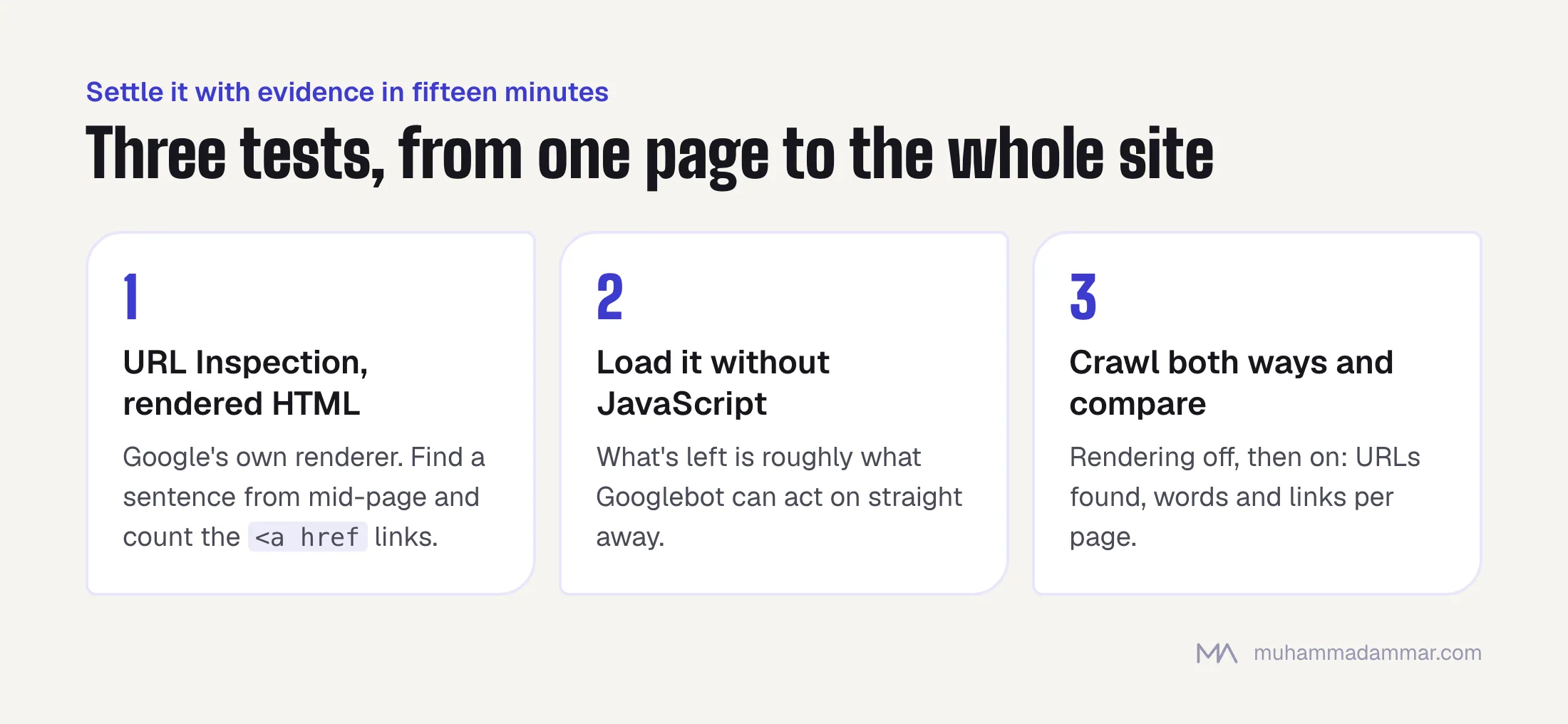
In Search Console, inspect the URL, run the live test, open the tested page and read the HTML tab. That’s the page as Google’s renderer built it.
What to check, in this order:
- Is your main content there? Search the rendered HTML for a distinctive sentence from the middle of the page. If it’s missing, nothing else matters.
- Are your internal links there as real links? Search for
<a hrefand count them. Links built as clickable spans don’t exist for a crawler. - Are the title and meta description the ones you meant?
- Look at the screenshot. A blank or half-built screenshot with full HTML usually points to a timing problem worth looking into.
- Read the page resources and console messages. A blocked script or a JavaScript error is the cause more often than the framework is.
One caveat that saves arguments: the live test is more patient than real indexing. A page that only just passes the live test can still fail in practice. Passing is necessary, not enough.
Test 2: load the page without JavaScript
It’s crude and instant, and it shows you how much of the page depends on the rendering step at all.
Open DevTools, turn off JavaScript and reload. What’s left is roughly what exists before rendering: what Googlebot sees in step one, and what it can act on straight away.
Compare view-source: with the Elements panel for the same page. The first is the raw HTML, the second is the page after the scripts run. The bigger the gap, the bigger your risk.
A blank page without JavaScript isn’t automatically a failure. Google will probably render it. But it means every piece of content and every link on the site depends on a delayed, queued process, so indexing will be slower and less reliable than it needs to be. On a news site or a fast-changing catalogue, the delay is the problem in itself.
Test 3: crawl it both ways and compare
The first two tests look at one page. This one looks at the whole site, and it’s where problems in templates show up.
Crawl the site twice with the same tool, once with JavaScript rendering off and once with it on, and compare. Three columns tell you nearly everything:
- URLs found. A big gap means your navigation depends on JavaScript.
- Words per page. A big gap means your content does.
- Links per page. A big gap means internal link value isn’t flowing where you think.
The Rich Results Test is a useful second opinion, since it also renders and shows you the rendered source. On a large site, the logs close the loop: they show whether Googlebot actually fetches your JavaScript files and API endpoints, which is the difference between “it should render” and “it did”. The method is in log file analysis.
The failures that actually happen
In order of how often I find them.
Links that aren’t links. A div or span with a click handler that moves the user. It works fine for people and is invisible to a crawler. Every internal link needs to be an <a> with a real href, including navigation, pagination and product grids.
Content that loads on click. Tabs, accordions and “read more” panels that fetch their content when clicked. Googlebot doesn’t click. If the content matters, it has to be in the page when it loads. Hidden with CSS is fine; missing until clicked isn’t.
Infinite scroll without URLs. Items load as the visitor scrolls, and none of them has an address a crawler can reach. Anything past the first screen might as well not exist. Pair it with real paginated URLs.
Blocked files. A robots.txt rule that blocks a scripts folder or an API path the page needs. The renderer then builds an empty page and everyone blames the framework. Check the page resources list in URL Inspection.
Content that depends on stored state. Content shown only after something saved in localStorage, a cookie choice or a login. The bot arrives with none of that and sees the gate.
Redirects in JavaScript. Redirecting with a script after the page loads. Google can follow them, but they’re slower and weaker than a server-side 301, and they’re a common reason a migration quietly underperforms.
Location or language redirects in JavaScript. The two-language version of the last one, and a common way Arabic sites lose a whole language from the index. I cover it in seven ways two-language Arabic sites break hreflang.
Server rendering, prerendering and dynamic rendering
If the tests come back badly, there are three fixes, and they aren’t equal.
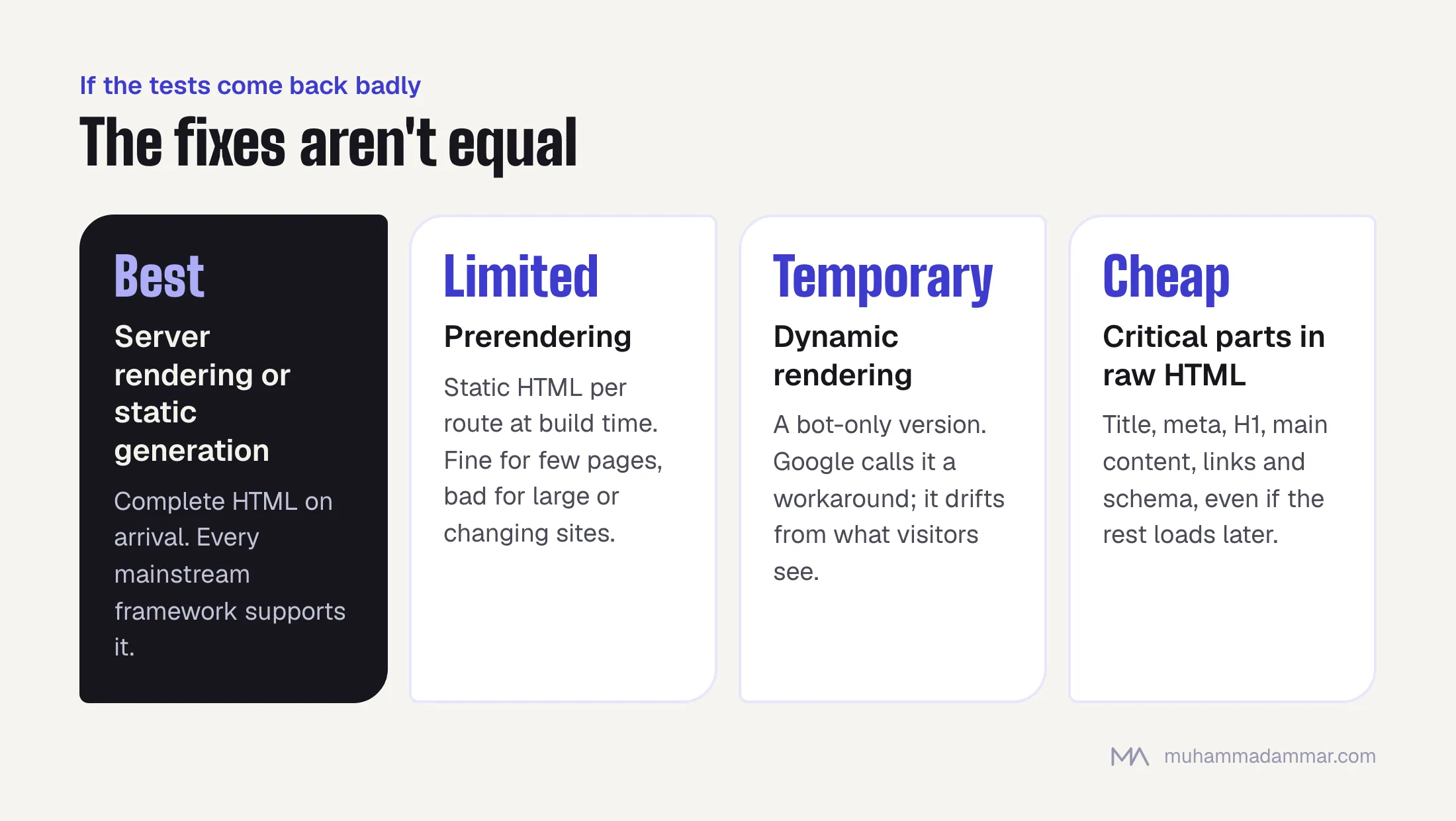
Server-side rendering or static generation is the right answer. The HTML arrives complete, rendering becomes an extra instead of a dependency, and none of the problems above can hurt you. Every mainstream framework supports it. It’s a development decision with a real cost, and it’s the one worth arguing for.
Prerendering means generating static HTML for each route at build time and serving that. It works well for sites with a limited number of pages and badly for anything large or constantly changing.
Dynamic rendering means detecting bots and serving them a prerendered version. Google no longer recommends it and calls it a workaround. It adds a second code path that slowly drifts away from what visitors see, and that drift is the risk. Use it only as a temporary bridge while you build server rendering.
There’s also a cheaper middle step that’s often enough: keep the framework, but make sure the critical parts (title, meta tags, H1, main content, internal links and structured data) are in the raw HTML, even if the rest loads afterwards. That alone removes most of the risk without a rebuild.
Frequently asked
Does Google render JavaScript?
Yes, with an up-to-date Chromium, in a separate queued step after the first crawl. The useful question is whether your particular setup gives it everything it needs.
Is React or Vue bad for SEO?
No. The problem is rendering only in the browser with navigation that depends on JavaScript, and you can build that, or avoid it, in any framework. A server-rendered React site has no built-in disadvantage.
Do other search engines and AI crawlers render JavaScript?
Less reliably than Google, and several AI crawlers only read the raw HTML. If being found by AI assistants matters to you, that’s one more argument for server rendering. I explain why in what makes an AI assistant name your brand.
Can I set meta tags with JavaScript?
It usually works, and it’s fragile for no gain. Titles, descriptions and canonical tags belong in the server’s response. Social media preview crawlers in particular often don’t render at all.
My page passes the live test but isn’t indexed. Why?
The live test is more forgiving than real indexing. Also check whether the page can be reached through crawlable links, whether it’s in the sitemap, and whether its content is different enough to be worth indexing. Often rendering isn’t the actual problem.
Related: technical SEO and SEO audit. If you’re not sure Google sees your content, send me a URL and I’ll run the tests.

SEO and digital marketing consultant since 2015, working with businesses in Egypt, Saudi Arabia and the UAE.
About the author and editorial standards