On this page
Every catalogue builds up dead products. The usual ways of handling them, leaving the page up forever or deleting it and letting it 404, are both wrong most of the time, and both get expensive at scale. A thousand products that quietly disappeared are either a thousand 404s leaking link value or a thousand pages telling Google you sell things you don’t.
There are only four possible outcomes. The skill is choosing the right one quickly and consistently.
The four outcomes, and when each applies
| Outcome | Use when | What happens to the URL |
|---|---|---|
| Keep | The product is coming back, or the page has rankings, links or traffic | Stays live, availability marked correctly, alternatives offered |
| Redirect | A real successor or near-equivalent product exists | 301 to that specific product, never to the homepage |
| Noindex, keep live | Gone for good, no successor, but customers still reach it from old orders or links | Still reachable, out of the index |
| 410 | Gone for good, no traffic, no links, no successor | Removed cleanly and permanently |
The one option that’s almost always wrong is redirecting everything to the homepage or a top-level category. Google treats a redirect to an unrelated page as a soft 404 anyway, so you get the same result as deleting the page, and you confuse visitors who expected a product and landed on the shop front.
Temporarily out of stock vs discontinued
These need to be different states in your system, not one checkbox. A product back in three weeks and a product that will never return look the same to a crawler unless you make them different.
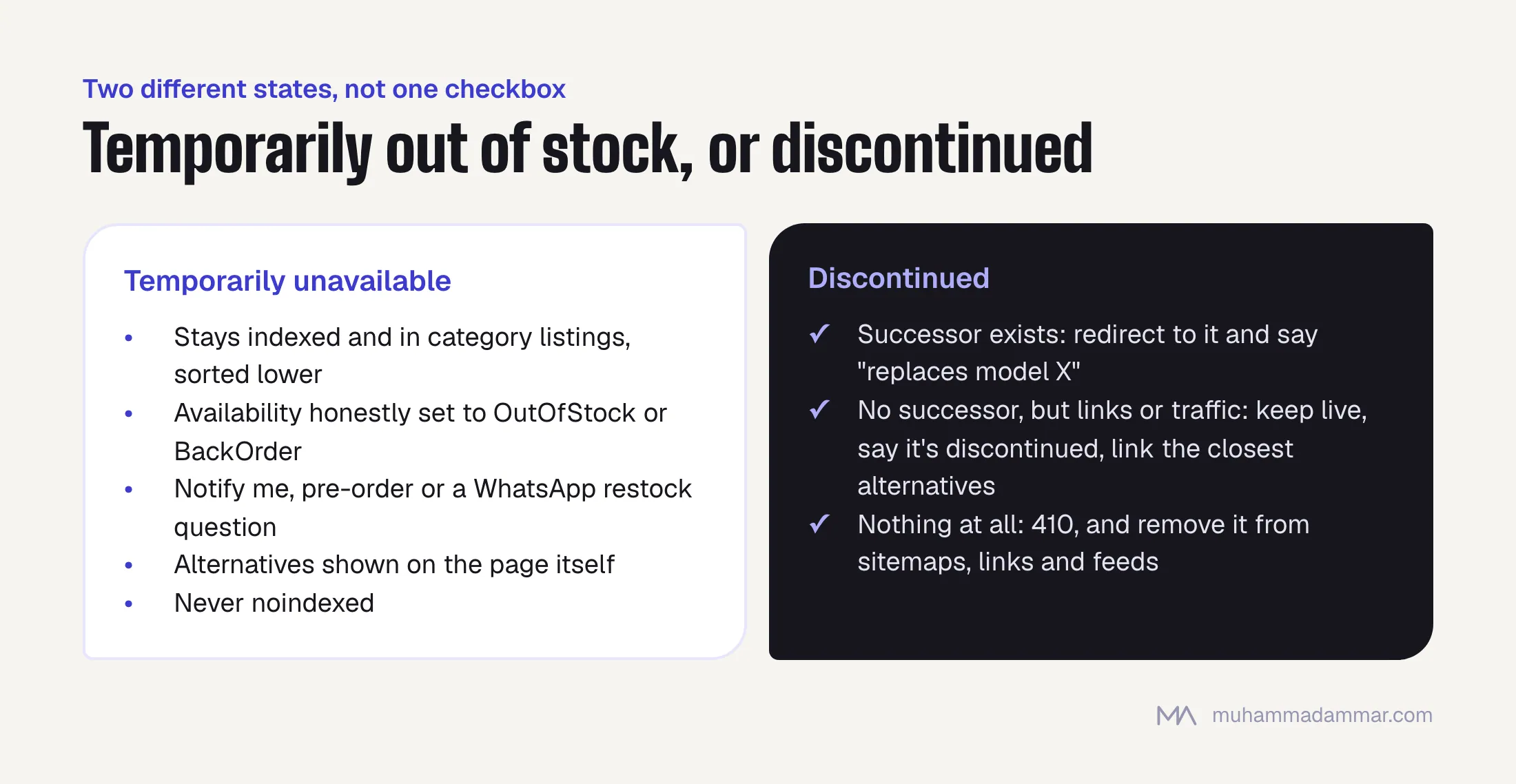
Temporarily unavailable:
- Keep the page indexed and in the category listings, ideally sorted lower rather than hidden.
- Set availability honestly to
OutOfStockorBackOrderin the markup. - Give visitors something to do: notify me, pre-order, or a WhatsApp link asking about restock. That turns a dead visit into a lead.
- Show alternatives on the page itself, not instead of it.
- Never noindex it. A three-week noindex costs more than three weeks, because getting re-indexed isn’t instant.
Discontinued:
- If there’s a successor, redirect to it and say so on the new page. “Replaces model X” is useful content and catches the old model’s searches.
- If there’s no successor but the page has links pointing to it or steady traffic, keep it live, say clearly that it’s discontinued, and link to the category and the two closest alternatives.
- If it has nothing, return a 410 and remove it from sitemaps, internal links and feeds at the same time.
Seasonal ranges and the Ramadan cycle
This is where stores in the region differ from most English advice. A Ramadan range, an Eid gift collection, a back-to-school range or a Hajj-season line aren’t discontinued products. They come back every year, and the worst thing you can do is delete the pages each year and rebuild them.
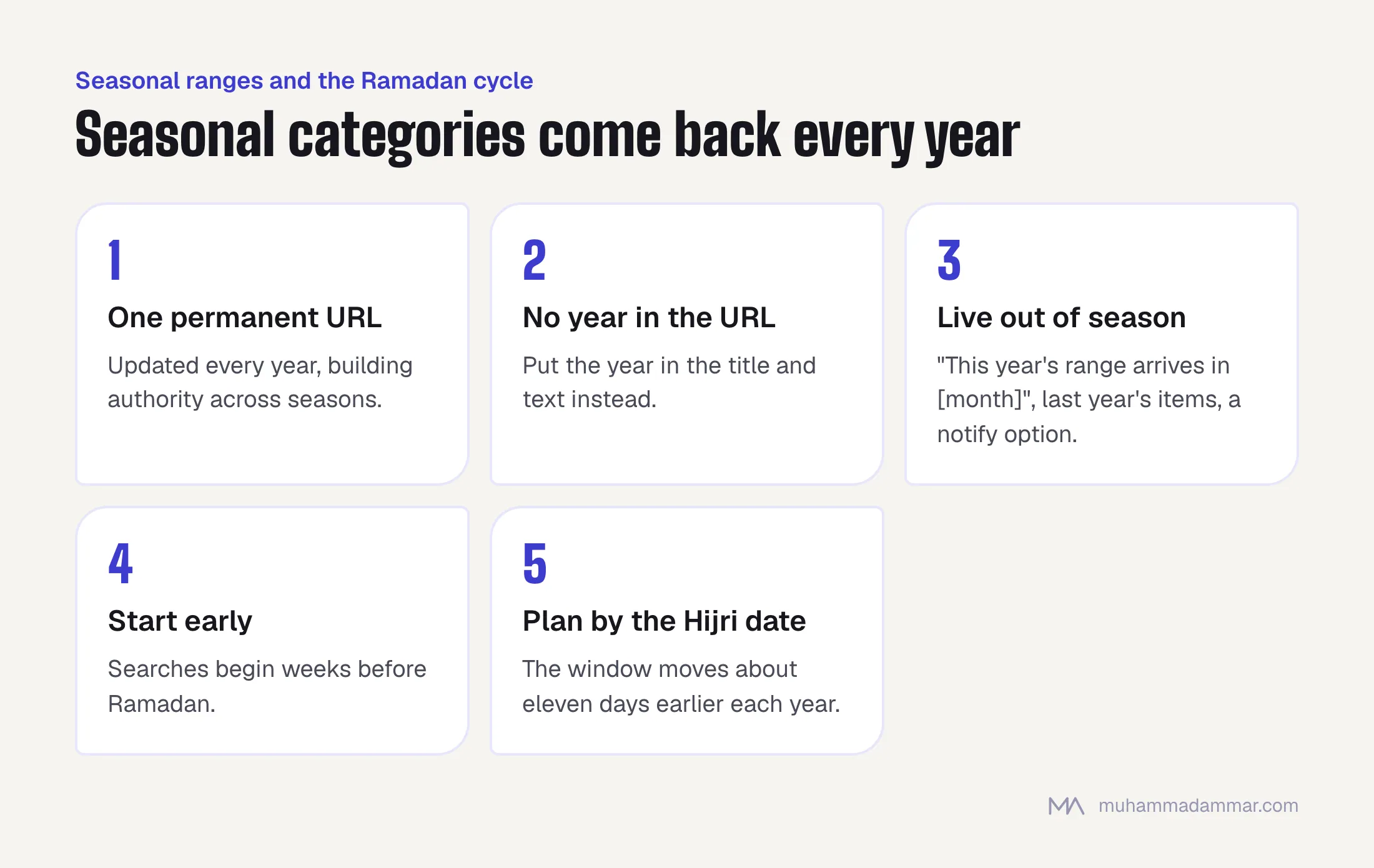
- Keep one permanent URL for each seasonal category and update it every year instead of creating a new page. The page builds authority across seasons instead of starting from zero each time.
- Never put the year in the URL of a recurring seasonal category. Put the year in the title and text, where you can change it.
- Keep the page live out of season with an adjusted offer, such as: “This year’s range arrives in [month]. See last year’s items or get notified.”
- Start the season early on the page. Searches for Ramadan ranges start weeks before Ramadan, and a page rebuilt the week before has no history when demand peaks.
- Treat the products differently from the category. Individual items really do go away. The category doesn’t.
Because the Hijri calendar shifts against the Gregorian one, the demand window moves about eleven days earlier each year. Plan the content refresh by the Hijri date, not “every March”, or within a couple of years you’ll be two weeks late.
Redirects that keep their value
- One hop. Product to successor, done. Chains of redirects built up over years are a real crawling cost on a large catalogue.
- Same language. An Arabic product URL redirects to the Arabic successor, never to the English one.
- Relevance over convenience. Redirecting to the parent category is acceptable only when there’s no comparable product. It’s better than the homepage and weaker than a real successor.
- Update internal links too. A redirect doesn’t replace fixing the links that point to the old URL. Leaving them is how chains form.
- Keep a record: a simple table of old URL, new URL, date and reason. It stops the next person undoing your work.
Keeping the page and changing the offer
For a product page with real rankings, the most valuable move is usually to keep the URL and change what it offers. The page keeps its history and links, and the content changes to match reality: a clear status line at the top, alternatives on the first screen instead of at the bottom, the original specifications kept (people still search for them), and the reviews left in place.
What makes this fail is a page that says nothing about its status and just shows a greyed-out button. Visitors leave, engagement collapses, and the ranking goes anyway.
Automating the decision across the catalogue
You can’t decide this by hand for ten thousand products. Build it as a set of rules that runs on a schedule, using data you already have:
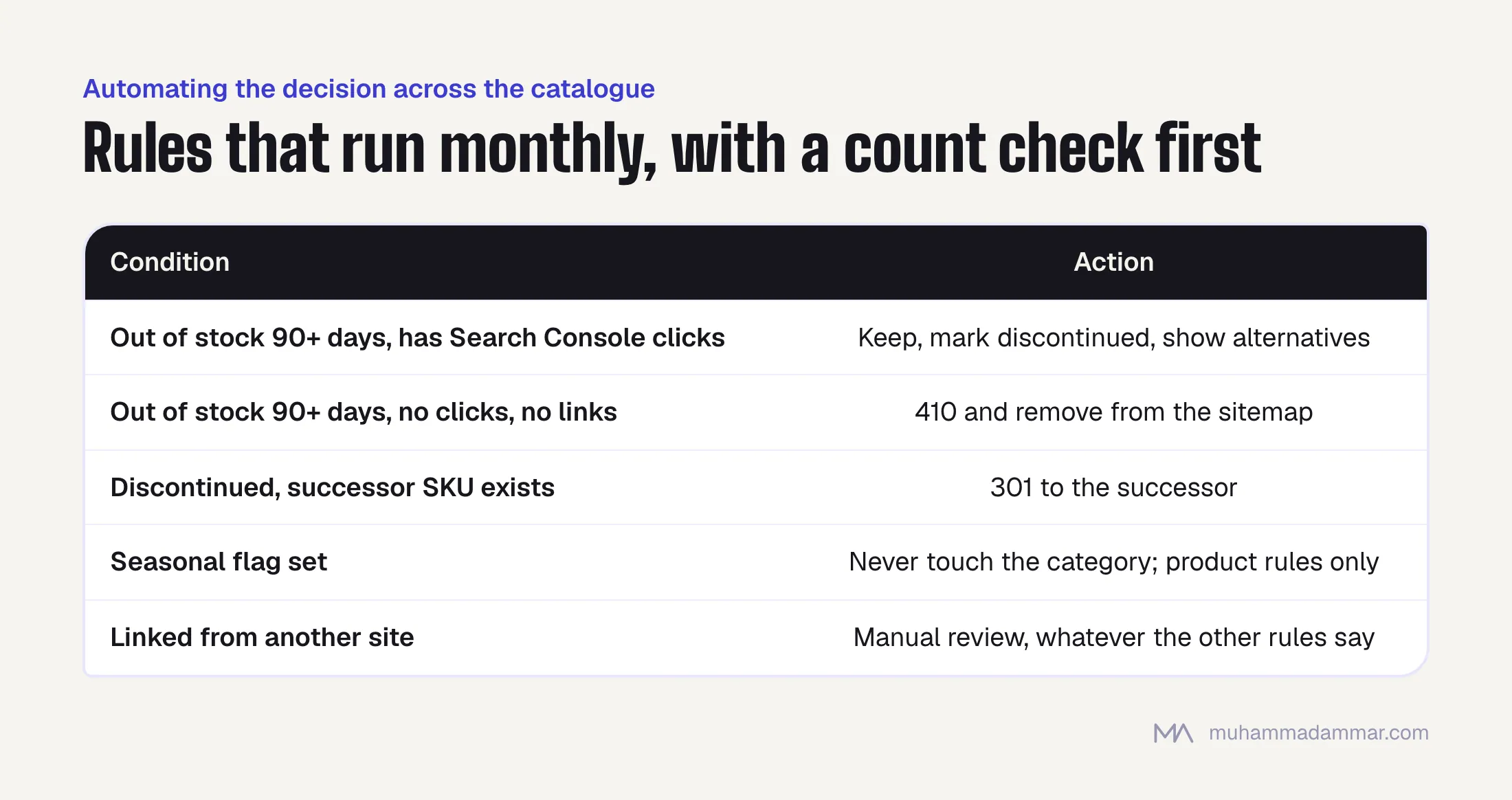
- Out of stock for more than 90 days and has clicks in Search Console: keep, mark discontinued, show alternatives.
- Out of stock for more than 90 days, no clicks, no links pointing to it: 410 and remove from the sitemap.
- Discontinued, and a successor SKU exists in the catalogue: 301.
- Seasonal flag set: never touch the category, apply the product rules only.
- Anything with a link from another site: send for manual review, whatever the other rules say.
Run it monthly, log every action, and check the count before it runs. A rule that quietly 410s eight hundred pages because a stock feed failed makes for a bad week, and that’s why the count check exists.
If dead product pages have already piled up into a crawling problem, the diagnosis is in the pages nobody asked Google to index. Doing this on a live catalogue is part of my e-commerce SEO work, with the redirect and crawling side in technical SEO.
Frequently asked
404 or 410?
A 410 says “gone for good” and tends to drop out of the index faster. Use it when you’re sure. A 404 is the safe default when you’re not.
Should out-of-stock products stay in category listings?
Yes, sorted to the end. Hiding them completely removes the internal links those pages depend on and makes the category look thinner than it is.
Does being out of stock hurt rankings directly?
Not as a penalty. It hurts through behaviour, because people leave straight away, which is why giving them something to do on the page matters.
What about products that come back every year?
Treat them as temporarily unavailable, not discontinued, and say when they’re expected back. Never delete the page.
How long should a redirect stay in place?
At least a year, and forever if it still gets traffic. Removing redirects to tidy up a config file is how stores lose value they already paid for.
Not sure how many dead product pages your store is carrying? Message me.

SEO and digital marketing consultant since 2015, working with businesses in Egypt, Saudi Arabia and the UAE.
About the author and editorial standards